
CAPTCHAs: How to keep forms secure without creating barriers
Read story
 Key points at a glance
One-off tests are not enough – websites need continuous monitoring.
The best coverage comes from combining automated and manual testing.
The European Accessibility Act is binding, and WCAG 2.2 is becoming the new benchmark.
Overlays alone do not make a website accessible.
Eye-Able supports organisations from testing and fixing through to monitoring.
The market for digital accessibility solutions is growing fast. Countless tools promise to check websites for barriers quickly and easily – often for free. Take a closer look, however, and many of these offers turn out to be limited to one-off tests: they deliver error messages, but no lasting solutions.
Assistive technologies such as screen readers, braille displays and voice control show that superficial checks only tell half the story. Their real value lies in reflecting the everyday experience of users. They reveal how content is actually experienced and where barriers arise that purely technical tests often miss.
Since June 2025, the European Accessibility Act (EAA) has applied to many products and services offered by private companies across the EU. Each member state has transposed it into national law, for example Germany through the Barrierefreiheitsstärkungsgesetz (BFSG) and the Netherlands through amendments to several existing laws. For public sector bodies, the Web Accessibility Directive (EU) 2016/2102 continues to apply. The technical requirements are set out in the European standard EN 301 549, which refers to the Web Content Accessibility Guidelines (WCAG). In September 2026, EN 301 549 V4.1.1 was published, aligning the standard with WCAG 2.2. Organisations therefore need solutions that not only help them implement legal requirements, but also enable genuine digital participation – websites that everyone can use, regardless of disability.
In this article, we compare different approaches to accessibility testing and explain why Eye-Able is more than just an "alternative": a platform that takes a holistic view of accessibility and supports organisations in the long term.
Accessibility tools and testing software are programs that check digital content for accessibility for people with disabilities. Some solutions come as simple widgets or plugins that can be integrated directly into a CMS. They analyse websites automatically and check whether basic standards are met.
Typical checks include sufficient colour contrast, scalable font sizes and adjustable display settings. In addition, features such as a contrast mode, colour filters, a blue light filter or a night mode support users with visual impairments.
Content issues are also common: missing or incomplete alternative text for images makes content incomprehensible for screen readers. Audiovisual content is just as important: without captions, key information in videos remains inaccessible to people with hearing impairments. Keyboard operation matters too. An incorrect tab order, missing focus indicators or unreachable elements make a website considerably harder to use.
On a technical level, incorrectly labelled form elements, poorly structured HTML code or deviations from HTML specifications mean that digital content cannot be fully used by everyone.
Professional digital accessibility software offers several key benefits:
Continuous control: Regular testing is essential, as websites change constantly and new content is added.
Better usability: Not only people with disabilities benefit, but all users.
SEO benefits: A clear page structure and semantic HTML elements also help search engines.
Lower legal risk: Regular testing and documentation help to demonstrate conformance with the requirements of the EAA and national laws – technically WCAG 2.1 Level AA for now, and WCAG 2.2 Level AA in future.
Many free checking tools only offer one-off scans. This creates significant risks:
A false sense of security: Organisations believe they are fully compliant after a single test.
Ongoing legal risk: Websites change continuously, and new barriers can arise at any time. Platforms with integrated audit and monitoring features help to detect new barriers early.
No guidance on fixes: Teams are left with a list of errors but no clear instructions on how to fix them.
When looking for an Eye-Able alternative, you should consider several factors:
The scope and continuity of testing set professional solutions apart from free tools.
Free tests can be a starting point, but are rarely enough to fully meet legal requirements.
Tailored solutions adapt to the specific needs of your organisation.
Organisations have several ways to test digital accessibility. Each approach has its own strengths, but also its limits. To find the right solution, it is worth taking a look at the most important methods.
Automated tools are ideal for quickly checking websites for common barriers.
Advantages:
Fast results, even for large and complex websites
Cost-effective for recurring tests
Scalable, for example for organisations with many domains or subpages
Disadvantages:
Only reliably detect some barriers, as many WCAG criteria cannot be tested automatically
Often no concrete recommendations, just error messages
Risk of false positives that create extra work for teams
Manual testing can be carried out in two ways: by trained accessibility experts or by internal teams testing on their own.
In-house manual testing: Many organisations approach their website with checklists or their own tests. This raises initial awareness but is prone to error – without in-depth expertise, many barriers are overlooked, such as screen reader issues, semantic structures or complex navigation patterns.
Manual testing by expert teams: Experienced accessibility testers work with specialist methods and assistive technologies. This allows them to assess digital accessibility with the highest level of accuracy.
Advantages:
Detection of complex barriers that automated tools miss
Assessment of actual usability with screen readers and other assistive technologies
Contextual evaluation of content, language and interactions
Disadvantages:
Time-consuming and resource-intensive
Higher costs compared to automated solutions
Dependent on the availability of qualified experts
The most effective strategy is to combine both approaches. This hybrid solution ensures comprehensive coverage and lasting quality assurance:
Automated testing covers standard technical issues and enables continuous monitoring.
Manual testing adds complex barriers and real user experience to the automated analysis.
Professional solutions such as Eye-Able combine both in one platform: automated testing, expert feedback and concrete recommendations – supported by a dashboard and Customer Success Managers who advise organisations every step of the way.
Many organisations focus solely on the initial costs and overlook the long-term return on investment (ROI) of accessibility. According to a Forrester study cited in this article on ROI metrics for accessibility, every dollar invested in accessibility and user experience returns 100 dollars on average. The benefits include:
A wider audience: People with disabilities, together with their families and friends, have a global spending power of around 13 trillion US dollars.
Better visibility: Improved SEO performance and higher conversion rates
Less risk: Reduced legal risk and avoidance of costly legal disputes
A common misconception is that accessibility is voluntary. In fact, considerably stricter requirements have applied across the EU since 2025:
European Accessibility Act (EAA): Directive (EU) 2019/882 sets binding accessibility requirements for certain products and services, including e-commerce, banking services and electronic communications. Since June 2025, national market surveillance authorities have been checking compliance. In Germany, for example, fines of up to 100,000 euros apply. In the Netherlands, the Authority for Consumers and Markets (ACM) found in early 2026 that customers using assistive technologies could not place an order on most of the large online shops it tested.
Web Content Accessibility Guidelines (WCAG): Through the European standard EN 301 549, these guidelines form the technical basis of the legal requirements. WCAG 2.1 Level AA is currently still the relevant benchmark. EN 301 549 V4.1.1, published in September 2026, refers to WCAG 2.2 Level AA; once it is cited in the Official Journal of the EU, WCAG 2.2 will become the new benchmark. It is therefore worth working towards WCAG 2.2 now.
Web Accessibility Directive: Directive (EU) 2016/2102 continues to apply to public sector websites and apps in all EU member states.
United Kingdom: The Equality Act 2010 and the Public Sector Bodies Accessibility Regulations 2018 apply. In addition, UK organisations selling products or services to consumers in the EU must meet the requirements of the EAA.
Another misconception concerns so-called overlay tools. They sit on top of a website as an additional layer and offer users helpful features such as contrast and font size adjustment, but they do not replace a fully accessible website. At best, they are a useful addition – genuine accessibility requires implementing WCAG directly in the code and content itself.
Accessibility should not be considered in isolation, but as an integral part of business processes. Common integration mistakes:
No training for development and content teams
Accessibility treated as an add-on rather than a design principle from the start
Unclear responsibilities within the organisation
The biggest risk is assuming that accessibility is a one-off project. Websites change continuously due to:
Content updates and new features
Design changes and technical updates
New or updated standards and legal requirements – such as the current shift from WCAG 2.1 to WCAG 2.2
An automatically calculated accessibility score makes progress measurable and documents improvements. Change alerts notify you automatically when updates to your shop or CMS create new barriers. This is particularly important because websites are constantly evolving.
The best digital accessibility tools go beyond simply detecting errors and offer:
Step-by-step instructions for fixing identified issues
Prioritisation by severity and impact on users
Code examples and best-practice recommendations
Automated tools only detect some barriers. That is why you should choose solutions that also include manual testing by experts:
Usability testing with people with disabilities
Screen reader testing for a realistic assessment
Keyboard testing to check full operability
Instead of managing several contracts and providers in parallel, organisations benefit from one central solution. A single contract reduces administrative effort, while one reliable provider lowers coordination costs and ensures smooth integration. At the same time, additional partners – such as a web design agency – can easily be involved. Key features include:
API integration for seamless incorporation into existing workflows
Multi-site management for central administration of several domains
Compliance reporting for stakeholders and audits
Eye-Able is a comprehensive platform for organisations that take digital accessibility seriously. It combines several components:
Eye-Able Audit makes it easy to test websites against WCAG 2.1 and WCAG 2.2.
Eye-Able Report provides comprehensive analyses with a domain-wide overview and makes accessibility progress measurable and transparent.
Eye-Able Assist is assistive software with more than 25 features for greater accessibility.
Eye-Able's holistic approach gives organisations key advantages: rather than only testing or only offering assistive features, Eye-Able supports organisations throughout their entire accessibility journey. In addition to software, Eye-Able offers WCAG testing by experts as well as training and workshops on digital accessibility.
Eye-Able offers an integrated platform that combines testing software, reporting tools and assistive software. Unlike pure testing tools or overlay solutions, Eye-Able covers the entire path to accessibility – from analysis and fixing through to continuous monitoring.
Accessibility should be monitored continuously, as websites change constantly. Automated tests should run with every major update, while comprehensive manual testing should take place at least quarterly or whenever significant changes are made.
Free tools can be helpful for an initial analysis, but they are not enough to fully meet the requirements of the EAA or the Web Accessibility Directive. They only detect a fraction of possible barriers and usually offer neither continuous monitoring nor expert support.
Eye-Able supports organisations in implementing the relevant standards. The platform tests against the success criteria of WCAG 2.1 and WCAG 2.2 at Levels A, AA and AAA. Level AA is the relevant level for the EAA and the Web Accessibility Directive. This allows organisations to keep track of both the current requirements and the shift to WCAG 2.2. Customers also receive support from accessibility experts and can take part in workshops and training sessions.
Yes, things are clearly moving in that direction. EN 301 549 V4.1.1, published in September 2026, adopts the requirements of WCAG 2.2. It will provide a legal presumption of conformity once the European Commission cites it in the Official Journal. If you work to WCAG 2.2 Level AA today, you also meet the previous requirements of WCAG 2.1. Eye-Able Audit already tests against both versions.
CAPTCHAs: How to keep forms secure without creating barriers
Read story
Plain language at the touch of a button: can AI do it?
Read story
Talking to everyone about everything: a guide to inclusive language
Read story
What does an inaccessible website really cost?
Read story
Your WordPress site is never really finished: Why continuous maintenance matters
Read story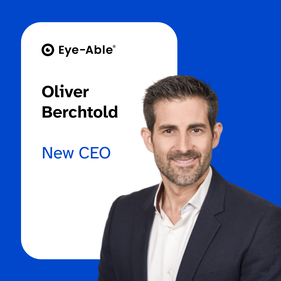
A New Leadership Team for Eye-Able: Oliver Berchtold Appointed CEO
Read story
HubSpot drops orange: how accessibility reshaped the CRM's design
Read story
How to make your website EAA-compliant in 8 steps
Read story
Looking back at the 2026 World Cup: How accessible was the tournament really?
Read story
Accessibility warnings in Austria? What European businesses need to know
Read story
One year of the EAA: Where businesses still fall short
Read story
No, an overlay tool doesn’t magically make a website accessible
Read story