CAPTCHAs: How to keep forms secure without creating barriers
Read story
 Accessible CAPTCHAs: Key takeaways
CAPTCHAs can exclude people: Image puzzles, distorted text and audio challenges are often impossible to complete for people with certain disabilities.
Invisible checks aren't automatically accessible: People using screen readers or other assistive technologies may be mistakenly identified as bots because their behaviour differs from what the system expects.
There are alternatives: Honeypot fields, server-side spam filters and modern verification methods can protect forms without forcing users to solve extra puzzles.
The entire process matters: If a security check isn't accessible, users need another way to proceed. Otherwise, a single CAPTCHA can make an otherwise accessible website unusable.
The colour contrast is right, everything can be operated with a keyboard, and the screen reader reads out all the content without any problems. The website seems accessible. You've just filled in an application for an official document, nearly booked a doctor's appointment or finished your weekly online shop. All that's left is to click "Submit".
But suddenly, a CAPTCHA gets in the way. You're asked to type out distorted letters, select bicycles in blurry photos or drag a puzzle piece into place.
For most people, this is simply an annoying extra step. For people with disabilities, however, it can be a barrier that stops them from completing the task at all, even if the rest of the website works well. Anyone who cannot complete the challenge has to rely on someone else's help or abandon the process. A spam protection measure ends up taking away people's independence.
CAPTCHA stands for "Completely Automated Public Turing test to tell Computers and Humans Apart". It was developed to distinguish between humans and computers or bots.
CAPTCHAs are mainly used to protect forms against spam, fake accounts and automated attacks. This creates a conflict: measures designed to keep bots out can also stop real people from using a service.
CAPTCHAs have changed over the years as bots have become more capable. Unfortunately, almost all common types exclude certain groups of users, for very different reasons.
This doesn't only affect people with permanent disabilities. Many older people also struggle as their eyesight, fine motor skills or concentration decline. And temporary limitations, such as a broken arm or a migraine, can make a challenge harder too.
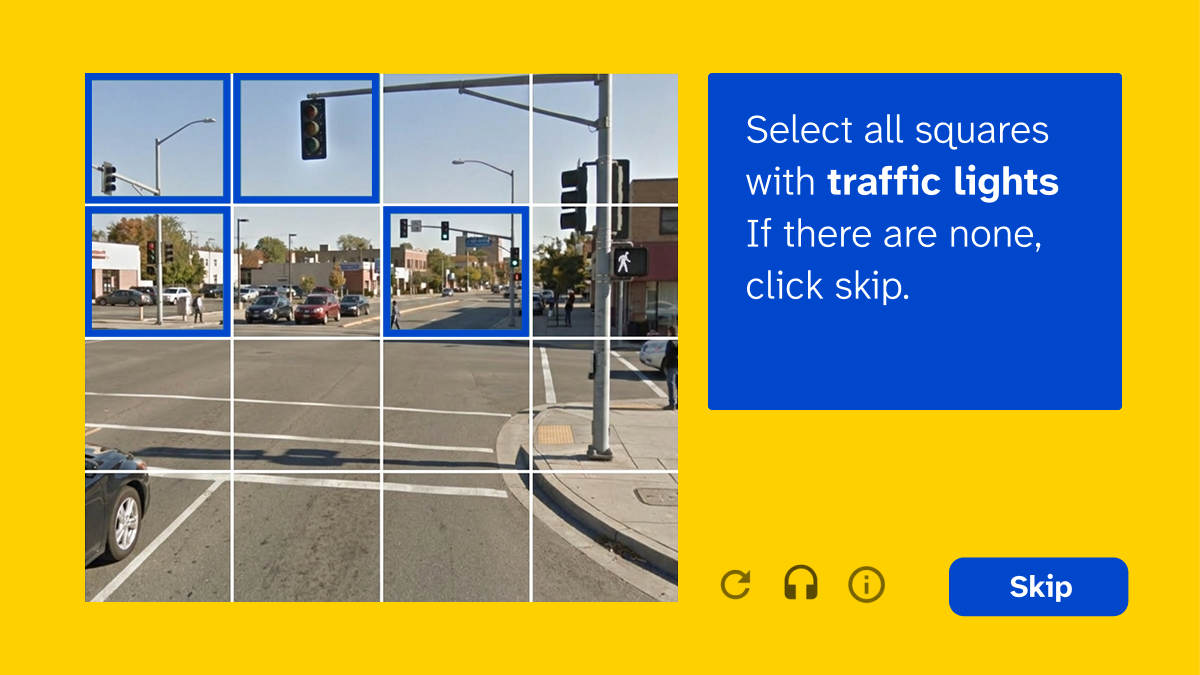
Distorted text is the classic CAPTCHA format. It dates back to a time when computers were worse at recognising distorted characters than humans. Today, the opposite is true: a 2023 study presented at USENIX Security with 1,400 participants found that people solved distorted-text CAPTCHAs correctly in 50 to 84% of cases and needed 9 to 15 seconds. Bots described in research achieve around 99.8% accuracy in under a second.
For blind users, the image is unreadable, as it has no text alternative. People with low vision may struggle to make out heavily distorted characters with poor contrast. And for people with dyslexia, typing out meaningless strings of characters creates an additional barrier.
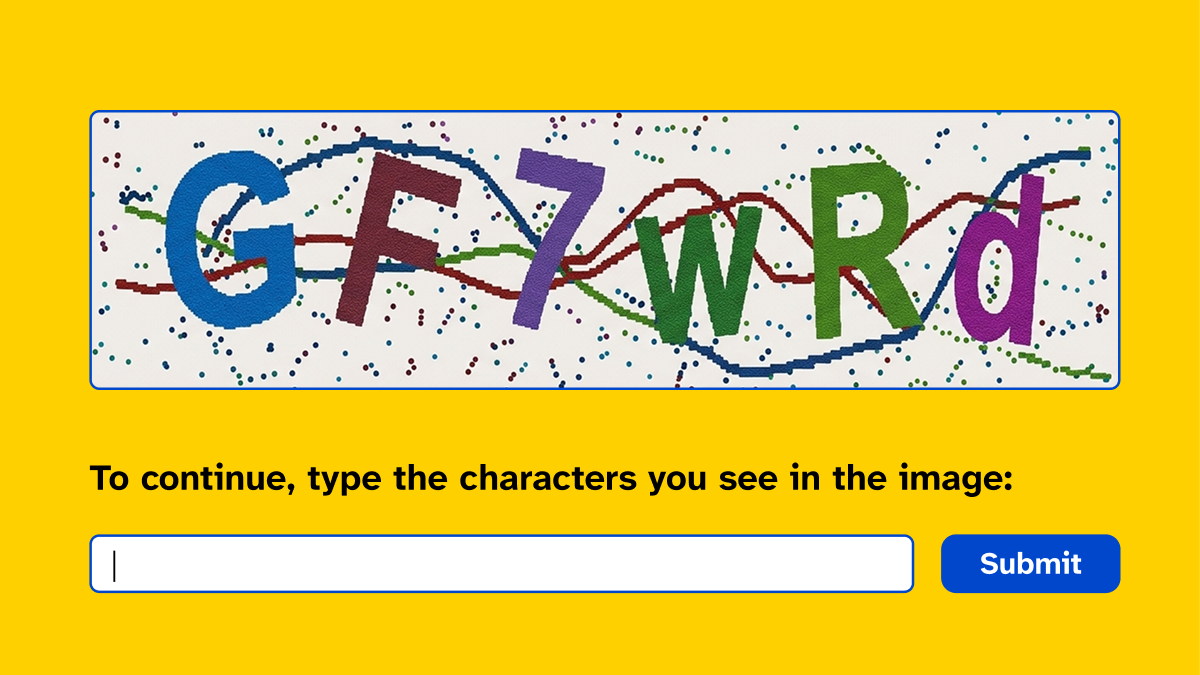 Image puzzles and tile grids
These challenges ask users to identify traffic lights, buses, pedestrian crossings or bridges in photos. They were introduced partly because bots had become increasingly good at reading distorted text.
They are particularly well known from Google's reCAPTCHA v2, widely regarded as the most common CAPTCHA service. It first shows the "I'm not a robot" checkbox and often only displays image challenges when a visit seems suspicious.
Blind users cannot solve these puzzles, because the images deliberately have no text alternative – it would give the answer away to bots. Blurry images and small tiles also cause difficulties for people with low vision or limited fine motor control.
Even without a disability, the instructions can be confusing. When selecting a traffic light, does the pole count, or just the signal itself?
 Audio challenges
Audio CAPTCHAs read out numbers or words that users then type into a field. They were introduced as an alternative for people who cannot see the image and are therefore often considered the accessible option for blind users.
For people who are deaf or hard of hearing, however, they are unusable. And for deafblind people, neither the visual nor the audio option works.
To make automated speech recognition harder, the recordings are deliberately distorted with background noise or music. As a result, they can be difficult to understand even for people without a hearing impairment.
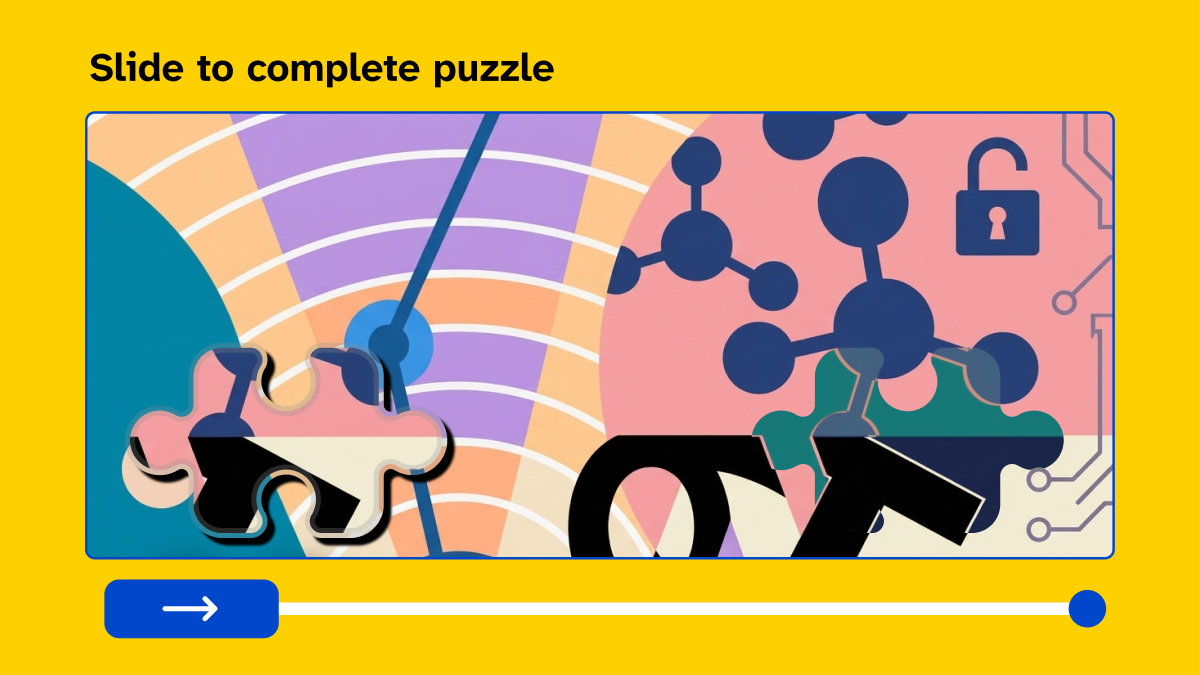
These challenges require users to drag a puzzle piece or move a slider into exactly the right position.
This demands precise hand-eye coordination. It can be extremely difficult for people using alternative input devices or eye-tracking technology, as well as for people with tremors.
Such challenges often cannot be completed with a keyboard or screen reader either. And anyone who cannot see the shape or position of the missing piece has no way of solving the puzzle.
 Maths challenges
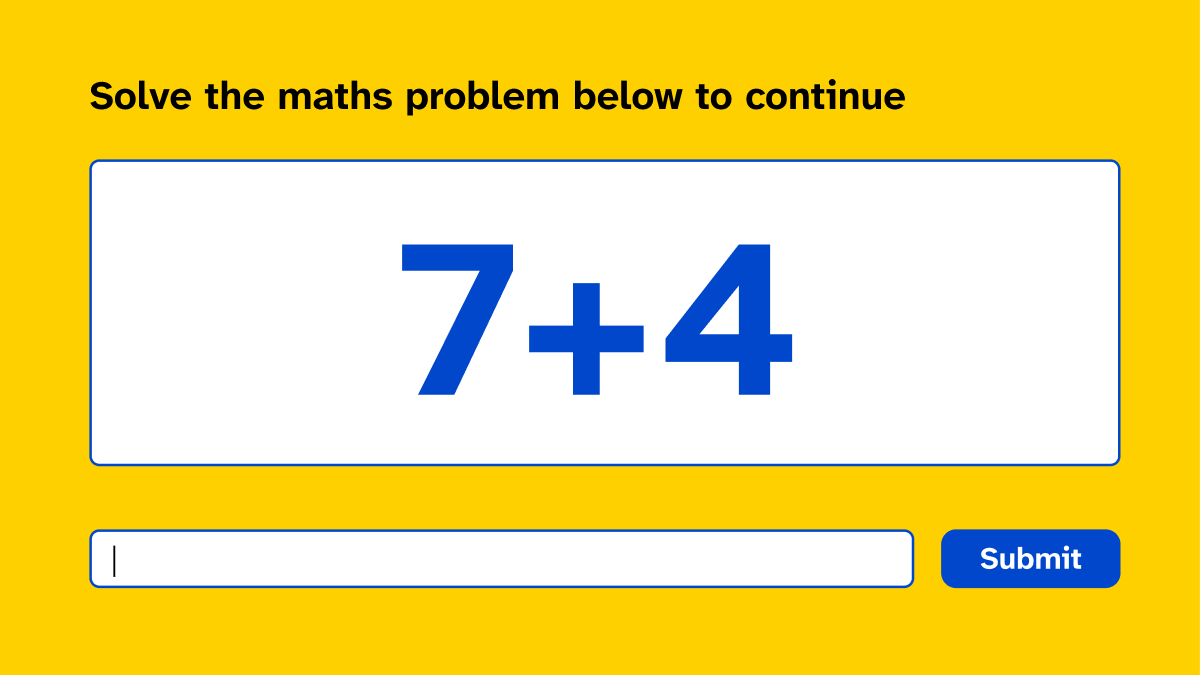
Simple maths questions such as "What is 7 + 4?" are text-based and can therefore be made more accessible than image puzzles.
However, they can still create barriers for people with dyscalculia or cognitive disabilities. People with concentration or learning difficulties may also find that the extra task interrupts them.
Bots, meanwhile, solve these questions effortlessly. Maths challenges offer little protection, but the barriers for people remain.
 Background checks
 run invisibly and assess how visitors interact with a website, for example by analysing mouse movements, time spent on the page or device information.
Most people don't even notice these checks, so at first glance they seem to be the most accessible solution.
Problems arise when someone is wrongly classified as a bot because their behaviour differs from what the system considers typical. This can happen to people who use assistive technologies, navigate with a keyboard only or need more time.
They may then be asked to complete a visible challenge or cannot proceed at all. Without an accessible alternative, they face exactly the same problem as with traditional CAPTCHAs.
Regardless of the CAPTCHA type, certain factors can turn a difficult challenge into an impossible one:
Time limits that cannot be extended: The task expires before someone using assistive technology or with limited motor control has finished.
No alternative way to complete the process: For example, no telephone number or email address for people who cannot pass the security check.
Accessibility cookies that require separate registration: Some providers, such as hCaptcha, offer a cookie that lets people skip visual challenges. To get it, users have to register with their email address with a third-party provider, and the cookie may stop working if the browser blocks third-party cookies or the user switches devices.
The Web Content Accessibility Guidelines (WCAG) do not ban CAPTCHAs. But they set clear requirements:
1.1.1 Non-text Content (level A): A CAPTCHA needs a text alternative that describes its purpose. In addition, alternative forms using different types of sensory perception must be available, such as a visual and an audio version.
3.3.8 Accessible Authentication (Minimum) (level AA): New in WCAG 2.2. In a login process, no cognitive function test – such as solving a puzzle or transcribing characters – may be required unless there is an alternative or a mechanism that helps. Recognising objects, such as "select all traffic lights", is an exception at this level.
3.3.9 Accessible Authentication (Enhanced) (level AAA): Here, the exception for object recognition no longer applies.
2.5.7 Dragging Movements (level AA): New in WCAG 2.2. Anything that requires dragging, such as a slider CAPTCHA, also needs a way to complete it with single clicks or taps.
2.2.1 Timing Adjustable (level A): Users must be able to turn off, adjust or extend time limits.
2.1.1 Keyboard (level A): The entire challenge must be operable with a keyboard.
In the EU, the European Accessibility Act (EAA) has applied since 28 June 2025, for example to online shops, banking services and booking processes. The technical basis is the European standard EN 301 549. Its current version V3.2.1 refers to WCAG 2.1 level AA. The new version V4.1.1, published in September 2026, adopts WCAG 2.2, including 3.3.8 and 2.5.7. It applies as the legal reference once the European Commission cites it in the Official Journal of the EU. If you plan your forms now, it makes sense to follow WCAG 2.2 already.
It's understandable that website operators want to protect their forms, particularly now that AI makes automated abuse easier.
But if almost every common CAPTCHA type creates problems for at least one group of users, the question is how to provide protection without these barriers. The W3C's note on the Inaccessibility of CAPTCHA recommends preferring approaches that require no interaction from users.
There are alternatives that require much less effort from visitors. However, they are not automatically accessible either and must be implemented correctly.
A honeypot adds an extra field to a form that people don't see. Bots that automatically fill in every field they find in the source code reveal themselves by completing it, while people leave it empty.
This approach only works if the field is hidden from everyone, including keyboard and screen reader users. Otherwise, real people could fill it in and be blocked as bots:
Simplest option: Hide the field with display: none or the hidden attribute. It is then hidden visually, from screen readers and from keyboard navigation.
If you position the field off-screen instead: Add tabindex="-1" so it can't be reached with the keyboard, aria-hidden="true" so screen readers ignore it, and autocomplete="off" so the browser doesn't fill it in automatically. A label such as "Leave this field empty" helps in case someone does reach it.
With this approach, the server checks whether a submission looks legitimate, for example by analysing common spam patterns or how quickly a form was completed. Rate limiting also restricts how many requests the same IP address can send within a short period.
These checks are invisible to visitors. However, the rules must not exclude people who take longer to complete a form, for example because they use a screen reader or voice control or have a motor impairment. They also need to take into account that many people may share an IP address, such as in an office or a care home.
Services such as Friendly Captcha, reCAPTCHA v3 and Cloudflare Turnstile largely do without visible challenges:
Friendly Captcha: a German provider. The visitor's browser solves a small computational task in the background, which takes very little effort for a single visitor but becomes expensive for bots sending large numbers of requests. According to the provider, it also evaluates risk signals.
reCAPTCHA v3: never shows a challenge. It returns a score for each request, and the website decides what happens next. If you block or redirect users with a low score, that next step must be accessible too.
Cloudflare Turnstile: offers three widget modes. In "Managed" mode, it only asks visitors to tick a checkbox if an additional check is necessary – there are no puzzles.
When using external services, check what happens if verification fails and whether an accessible alternative is available. Also consider what data is shared with the provider and whether the solution complies with the GDPR. If a provider claims to be accessible, test this yourself in your own form.
For login processes, passkeys, two-factor authentication and email-based sign-in links can make CAPTCHA puzzles unnecessary. Instead, they rely on something a bot cannot easily imitate, such as access to an email account or a registered device.
These methods also help to meet WCAG 3.3.8, because users don't have to remember a password or solve a puzzle. Make sure that people can choose between several methods: a code that is only read out, for example, excludes deaf people.
Automated tests can find many barriers in forms, such as missing labels or insufficient contrast. With Eye-Able Audit & Report, you can check your forms for such errors and fix them at the source. Our guide to accessible online formsshows what to look out for.
Whether a CAPTCHA can actually be completed, however, can only be tested manually: with a keyboard, with a screen reader and by checking what happens when verification fails.
The best CAPTCHA is no CAPTCHA at all.
Whichever type you choose, there's a good chance it will exclude at least one group of users. Even people without disabilities know the frustration of the third round of traffic lights.
A website can be designed with great care, but if the final step doesn't work, the whole process fails. If you need spam protection, follow these principles:
Avoid visible challenges: Use honeypots, server-side filters or services without puzzles first.
Offer alternatives: If a CAPTCHA is unavoidable, provide at least two forms for different senses, such as visual and audio.
Always offer another way: Provide a telephone number or email address for anyone who cannot pass the check. Neither a visual nor an audio challenge works for deafblind people.
Make the CAPTCHA itself accessible: Everything must work with a keyboard, without dragging and without time limits.
Test the entire process: Use a keyboard and screen reader, including what happens when verification fails.
Accessibility doesn't stop at the design. Everyone should be able to complete the process after clicking "Submit".
Curious how accessible your own website is? Our free accessibility check gives you a first overview in less than 2 minutes.
Not automatically. Traditional CAPTCHAs involving image puzzles, distorted text or audio challenges can exclude people with visual, hearing, motor or cognitive impairments. Even invisible CAPTCHAs aren't necessarily accessible if they mistakenly identify legitimate users as bots and offer no accessible alternative.
CAPTCHAs are not explicitly prohibited by the Web Content Accessibility Guidelines (WCAG). However, they must meet certain accessibility requirements. Success Criterion 1.1.1, for example, requires text alternatives that identify and describe the purpose of a CAPTCHA, as well as alternative forms that accommodate different sensory abilities. Keyboard accessibility and other relevant requirements must also be considered.
Alternatives include honeypot fields, server-side spam filters, rate limiting and modern services such as Friendly Captcha or Cloudflare Turnstile. These solutions can detect or limit automated requests without requiring users to identify images or solve puzzles. However, they still need to be tested for accessibility.
That depends on the version and how it's implemented. Image-based reCAPTCHA challenges can create barriers for people with visual or motor impairments. reCAPTCHA v3, on the other hand, uses background risk assessment. What matters most is whether users have an accessible way to complete the process if verification fails.
A layered approach that minimises additional tasks for users is generally the best option. This may include server-side spam filters, rate limiting and properly implemented honeypot fields. The key is to ensure that security measures don't disadvantage people with disabilities and that an accessible alternative is available if someone is incorrectly identified as a bot.
Get an initial overview of your website’s accessibility status – with no obligation and no prior expertise required.
CAPTCHAs: How to keep forms secure without creating barriers
Read story
Plain language at the touch of a button: can AI do it?
Read story
Talking to everyone about everything: a guide to inclusive language
Read story
What does an inaccessible website really cost?
Read story
Your WordPress site is never really finished: Why continuous maintenance matters
Read story
A New Leadership Team for Eye-Able: Oliver Berchtold Appointed CEO
Read story
HubSpot drops orange: how accessibility reshaped the CRM's design
Read story
AC Monza chooses Eye-Able for digital accessibility
Read story
How to make your website EAA-compliant in 8 steps
Read story
Looking back at the 2026 World Cup: How accessible was the tournament really?
Read story
Accessibility warnings in Austria? What European businesses need to know
Read story
One year of the EAA: Where businesses still fall short
Read story
