
Netcomm Forum 2026
Read story Written by Tobias Greiner on June 29, 2026
New: Eye-Able brings digital accessibility directly into the development environment
News
Digital accessibility now starts right inside the code editor! With the new Eye-Able integrations for VS Code and JetBrains, developers can detect accessibility barriers in real time while writing code. Save time, reduce costs, and make accessibility a standard from day one.
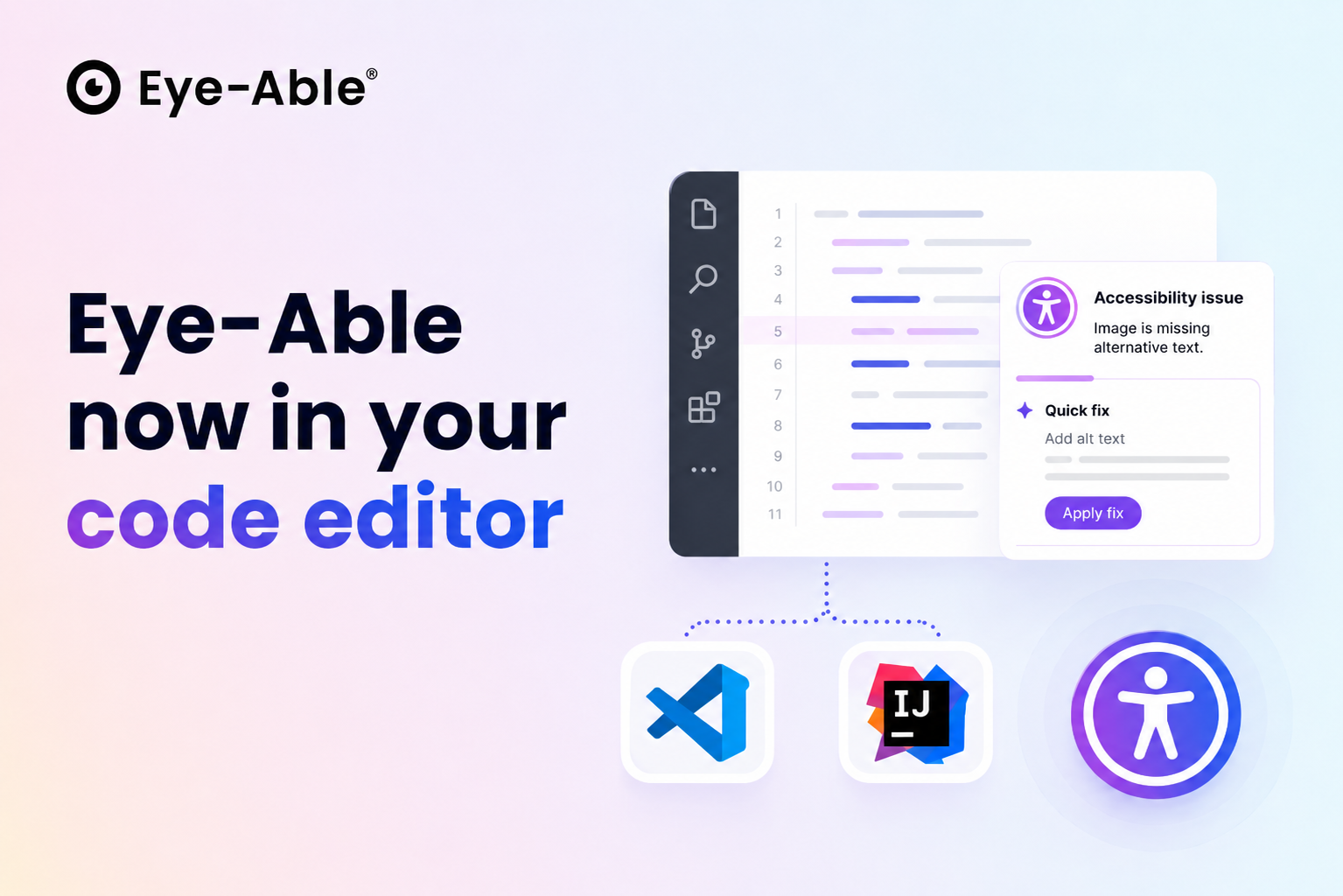 Shifting accessibility to the code editor
Digital accessibility now begins right where websites and applications are born: directly inside the code editor. With the new Eye-Able IDE integrations for Visual Studio Code and JetBrains, developers receive real-time alerts about potential accessibility barriers while writing code—without ever leaving their familiar workspace. With this release, Eye-Able expands its platform with a crucial building block that shifts accessibility to the earliest possible point in the development lifecycle, rather than discovering issues after launch.
Real-time feedback for cleaner code
In day-to-day operations, the integration works seamlessly in the background of daily workflows, highlighting many of the most common barriers directly at the relevant line of code—such as missing image alt texts, unlabeled interactive elements, or a disorganized heading structure. It supports the most widely used modern technologies, ranging from classic HTML to React, Vue, Angular, and Svelte. For many issues, Eye-Able simultaneously provides a clear, actionable solution that can be applied with a single click—available in both German and English. This allows bugs to be fixed before they are ever published.
Boosting efficiency, reducing costs, and ensuring compliance
This is precisely where the greatest benefit lies for our clients: accessibility becomes an inherent part of the development process from the very start, rather than a checklist item at the end of a project. Combined with Eye-Able’s existing audit, reporting, and optimization solutions, this creates an end-to-end ecosystem—from the first keystroke to the final, verified website. This minimizes tedious rework, reduces costs, and accelerates compliance with the WCAG, the European Accessibility Act (EAA), and EN 301 549. The new IDE integrations are available now—marking another major step toward a digital world that is accessible to everyone.
Find out if your website works for everyone—test it for free with Eye-Able!
Filter
:no_upscale())
What Domino’s, Airbnb, and Netflix teach us about inclusive marketing
Read story:no_upscale())
Accessibility in banking: Where banks are failing—and what must change
Read story:no_upscale())
ISO certification at Eye-Able
Read story:no_upscale())
Addition to the accessibility statement: Plain Language
Read story:no_upscale():format(png))
Which level of accessibility is required for my website?
Read story:no_upscale())
Sweden launches accessibility audits of online shops
Read story:no_upscale():format(png))
Does the EAA apply to the B2B sector?
Read story:no_upscale():format(png))
Eye-Able as an Alternative: Why one-time tests are not enough
Read story:no_upscale():format(png))
How do you recognise a truly accessible website?
Read story:no_upscale())
Show your commitment to digital accessibility with the Eye-Able Seal
Read story:no_upscale():format(png))
What US, UK, and Swiss companies must know about EAA compliance
Read story:no_upscale():format(png))
:no_upscale():format(png))