:no_upscale():format(png))
Making the Difference - Inclusion vs Integration
Read story
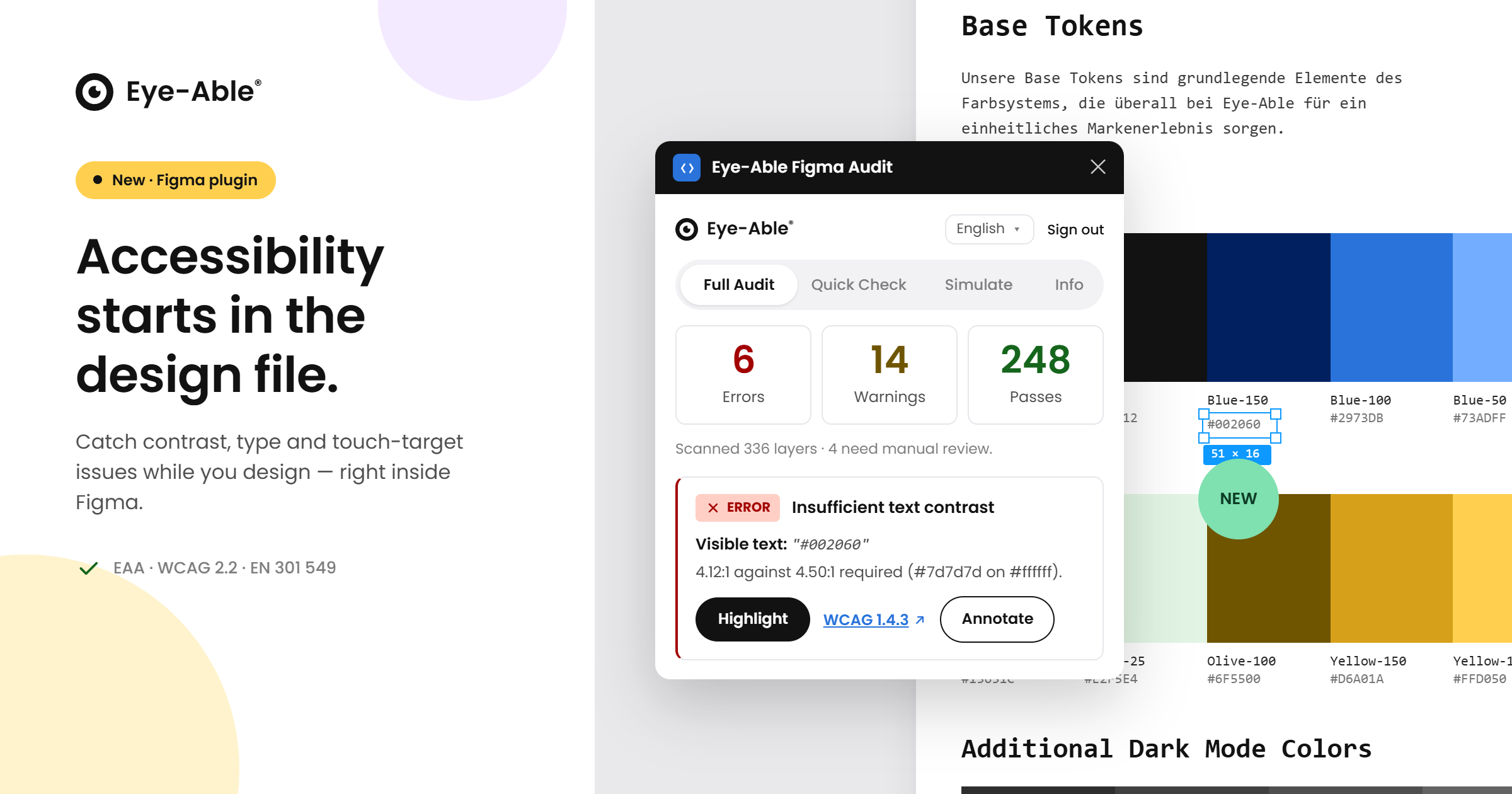 Build accessibility into every design
Accessibility is far easier — and far cheaper — to get right when it is considered from the very first pixel, not bolted on after a product ships. That is exactly why we built the new Eye-Able plugin for Figma. With the European Accessibility Act and standards like the WCAG raising expectations for digital products, design teams need a way to spot accessibility issues while they are still sketching screens, long before anything reaches development. Our new plugin brings Eye-Able straight into the tool where your designers already work, so accessible design becomes part of the everyday creative process rather than a final hurdle.
Right inside Figma, the plugin reviews your designs against established accessibility best practices and surfaces the things that matter — from colour and legibility to clearly identifiable, comfortably sized interactive elements and missing image descriptions. Designers can also preview how their work appears to people with different types of colour-vision deficiency, and leave accessibility notes that hand off cleanly to developers. Because the plugin is part of the Eye-Able platform, team members simply sign in with their existing Eye-Able account, and the experience carries the same familiar look and feel as the dashboard. Design, audit, documentation and remediation now connect in one continuous accessibility workflow.
By catching potential barriers at the design stage, teams ship more inclusive products, reduce costly rework later in the build, and move confidently toward compliance with frameworks such as the EAA, WCAG and EN 301 549. The Eye-Able Figma plugin is the natural next step in our mission to make digital accessibility effortless across every stage of your work — and it is available now to Eye-Able customers.
Ready to build accessibility into your designs from the start? Get in touch with our team to start using the Eye-Able Figma plugin.
Find out if your website works for everyone—test it for free with Eye-Able!
Making the Difference - Inclusion vs Integration
Read story:no_upscale():format(png))
How to: Build a truly accessible brand
Read story:no_upscale():format(png))
How inclusive is the digital world?
Read story:no_upscale():format(png))
Accessibility and Privacy: Trust in the Digital World
Read story:no_upscale():format(png))
Back to University: Eye-Able® and the way to a more inclusive education landscape
Read story:no_upscale():format(png))
The EAA 2025: That's what matters!
Read storyDigital Accessibility Worldwide: Breaking Boundaries Together
Read story:no_upscale())
Green Internet: The connection between accessibility and sustainability
Read story:no_upscale())
The future is accessible - The ABC of WCAG 2.2
Read story:no_upscale():format(png))
Artificial intelligence in digital accessibility - and how we already use it
Read story:no_upscale())
What is digital accessibility really good for? Facts and Figures 2
Read storyWhat is digital accessibility really good for? Facts and Figures
Read story:no_upscale():format(png))
:no_upscale():format(png))