:no_upscale())
Il nuovo design di HubSpot dice addio all'arancione: le ragioni legate all’accessibilità
Leggi la storia
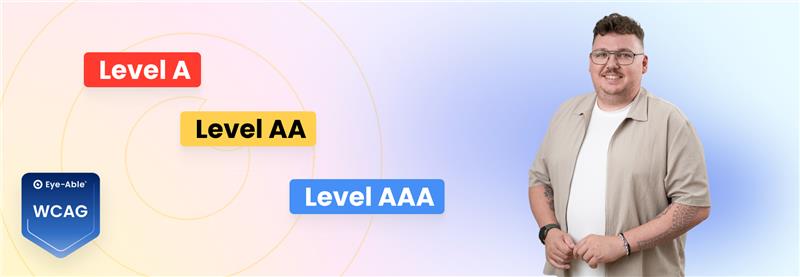 Which level of accessibility is legally required?
In many digital accessibility projects, the same question comes up sooner or later: is it enough to meet the legal minimum requirements, or do all criteria need to be fully implemented?
Much of the uncertainty comes from the different conformance levels defined in the Web Content Accessibility Guidelines (WCAG). While Level A sets out the basic requirements, Level AA goes significantly further. Level AAA, on the other hand, represents an additional level of optimisation that isn’t always fully achievable in practice.
That’s why it’s important to draw a clear distinction: what is mandatory, and what counts as additional optimisation? And how can accessibility be implemented in a structured, sustainable way?
What you really need to know:
WCAG Level AA is the benchmark – not full optimisation to AAA
Compliance means taking a structured approach, not fixing everything at once
Accessibility isn’t a final state, but an ongoing process
Many organisations assume that digital accessibility is only achieved when all criteria across Levels A, AA and AAA have been fully implemented. This often leads to two problematic reactions: either the project is postponed due to its perceived complexity, or it begins withunrealistic expectations of perfection.
In reality, the Web Content Accessibility Guidelines (WCAG) deliberately define different conformance levels. They distinguish between basic requirements (Level A), enhanced requirements (Level AA) and additional optimisation (Level AAA).
What matters is not whether all criteria are met, but which requirements are legally relevant.
 Why many organisations aim for AAA
Many organisations initially look to the highest conformance level because “AAA” sounds like maximum security and complete accessibility. The ambition to be as inclusive as possible is, in itself, a positive one.
At the same time, the idea of being “fully accessible” is often equated with meeting all A, AA and AAA criteria. With this heightened expectation, teams working on digital accessibility — or external providers — may set the highest level as their goal.
However, this overlooks the fact that WCAG is intentionally structured in tiers — and that the highest level is not the legal benchmark. AAA can be useful in certain contexts, but it is not a general minimum standard.
The three levels serve different purposes:
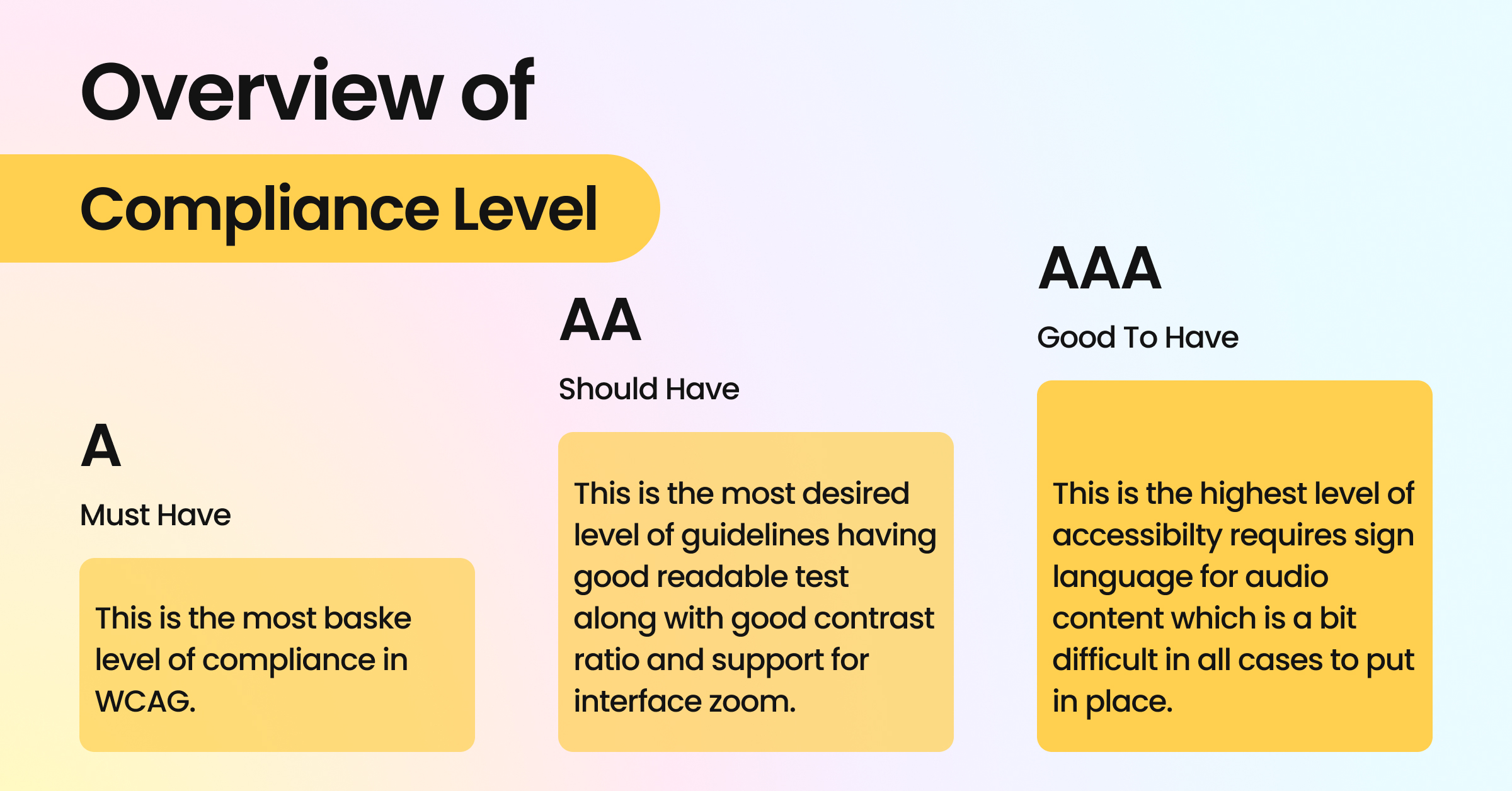 Level A: basic accessibility
 Without Level A requirements, key website functions may not be usable for many people. These include, for example:
alternative text for images
clearly labelled form fields
full keyboard operability of interactive elements
a logical heading structure
Without these basics, screen readers may not interpret content correctly, and forms may not be usable.
Level AA builds on these foundations and ensures that digital services are usable for a broad audience. Typical requirements include:
sufficient colour contrast
visible focus states for keyboard navigation
scalable text without loss of functionality
clear and helpful error messages in forms
These criteria not only improve accessibility, but also enhance the overall user experience.
Level AAA goes a step further and defines more advanced quality criteria. Examples include:
very high contrast requirements
more extensive guidelines for plain and easy-to-understand language
stricter rules around time limits and alternative content formats
These measures can further improve usability, but are not always fully achievable — for example in complex applications or highly specialised content.
Important:
The levels are not designed as an all-or-nothing system, but as graduated levels of quality.
For organisations, the key question isn’t which conformance level represents the highest possible quality in theory, but which requirements are legally relevant.
In practice, legal requirements for digital accessibility are aligned with WCAG Level AA.
This means:
The relevant criteria come from Level A and Level AA
Level AAA is not mandatory, but an additional level of optimisation
 Why Level AA is the reference standard
 Level AA ensures that digital services are accessible and practically usable for a broad audience. The focus here is not on maximum optimisation, but on reliable usability.
The requirements at this level cover key aspects such as:
visual perception through sufficient colour contrast
keyboard accessibility
clear and logical content structure
understandable interactions and error messages
This makes Level AA a balanced standard, combining technical feasibility with real-world accessibility.
Level AAA defines additional quality criteria that go beyond basic and enhanced usability. Many of these requirements are context-dependent and cannot be fully implemented across all digital services.
For example, very high contrast requirements can significantly limit design flexibility. More advanced requirements for simplified language may not be realistic for specialised or technical content. Likewise, certain time-based criteria are not always practical in complexinteractive applications.
For these reasons, AAA is not intended as a mandatory minimum standard.
For organisations within the scope of the Accessibility Strengthening Act, WCAG Level AA (A + AA) serves as the technical benchmark.
Public sector bodies under accessibility regulations are also required to meet additional information obligations. These include, among others:
an accessibility statement
key information in easy-to-understand language
and essential content in Sign Language
Important: these additional requirements are not equivalent to “AAA compliance”, but separate legal obligations specific to public sector organisations.
Being compliant does not mean implementing every possible optimisation. What matters is the systematic fulfilment of Level A and AA requirements.
The key factors are:
meeting the relevant criteria
identifying and prioritising barriers in a structured way
documenting progress and reviewing it on an ongoing basis
Before planning any measures, you need to understand where you currently stand.
Many organisations jump straight into making individual fixes — without knowing the actual scope of the work required or the impact those changes will have on the accessibility of their website.
That’s why the first step is always an assessment.
Start with an assessment of your website or application. This can be carried out using automated tools, manual testing, or a combination of both.
Automated checks help identify technical issues quickly, such as:
missing alternative text
contrast issues
unlabelled form fields
structural errors in the code
They provide a quick overview and highlight where fundamental Level A issues exist.
Manual testing goes a step further. It evaluates aspects such as:
whether content is clearly structured and understandable
whether navigation is logical and intuitive
whether focus behaviour works as expected
how usable forms actually are in practice
Only by combining automated analysis with manual evaluation can you get a realistic picture of your current status.
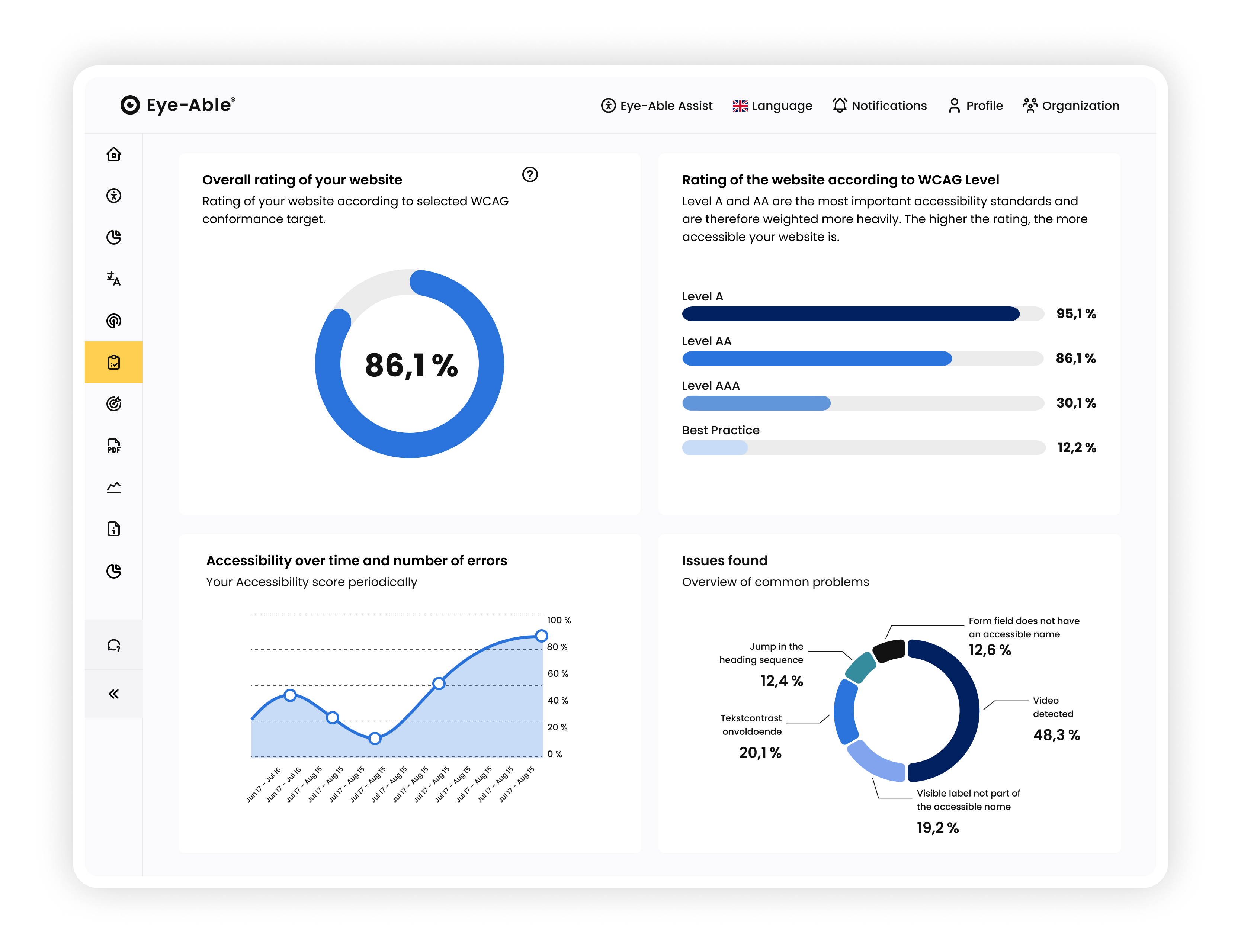
Tools like the Eye-Able dashboard, which consolidate and prioritise results, can help you stay on top of things. What matters most is having a clear baseline before you start optimising.
 Step 2 – Prioritise actions and implement them in a structured way
 After the analysis, the goal isn’t to work through “Level A first, then AA” in isolation. What matters is prioritising based on impact.
Start with barriers that directly prevent people from using your site:
lack of keyboard accessibility
unusable forms
missing alternative text for key content
Once these obstacles are addressed, you can systematically move on to Level AA requirements, such as:
adjusting contrast within the design system
ensuring clear and visible focus states
improving error messages
establishing consistent navigation patterns
Rather than fixing each page individually, it’s far more efficient to identify recurring patterns and resolve them at a structural level. For example, updating a design system or improving a central form component can enhance accessibility across multiple areas at once.
This way, you build a stable standard step by step — without overwhelming your team.
Accessibility only becomes sustainable when it is documented and reviewed regularly.
A simple internal checklist can help:
Have all relevant A and AA criteria been reviewed?
Have identified barriers been prioritised?
Are responsibilities clearly defined?
Have actions been documented?
Is the accessibility statement reviewed regularly and updated when needed?
Are follow-up checks carried out after updates or new content is published?
The idea of making a website fully accessible once and then being “done” is appealing. In reality, however, it’s rarely achievable.
Here’s why.
Digital services are constantly evolving. New content is published, features are added, designs are updated, and systems are changed. Typical changes include:
new subpages or landing pages
additional features or interactions
CMS updates
newly uploaded PDF documents
integrated third-party tools
Each of these changes can unintentionally introduce new barriers — even if all relevant criteria were previously met.
A website may meet Level A and AA requirements at a specific point in time. Whether it maintains that standard depends on how changes are managed.
To maintain accessibility over time, one thing matters above all: consistency.
New content, small design tweaks or a plugin update — it’s often these everyday changes that quietly introduce new barriers. That’s why accessibility shouldn’t be treated as an afterthought, but built into your ongoing processes.
Helpful practices include:
regular automated checks
additional manual testing after major changes
clear documentation to track progress and outstanding issues
an accessibility statement that is reviewed and updated regularly
If you’re unsure where to start or how to prioritise, it can be helpful to bring in expert support and build a structure that fits your internal workflows.
With the Eye-Able platform, you can centralise your audits and track developments transparently.
The central dashboard helps you to:
review automated checks in one place
identify issues quickly
prioritise barriers based on their impact
document changes to your website in a clear and structured way
This allows you to spot changes caused by updates or new content early — and respond straight away.
In the end, it’s not about getting everything perfect once. It’s about staying in control and continuously improving.

L'accessibilità digitale è fondamentale per consentire ai clienti di effettuare acquisti. Verifica subito l'accessibilità del tuo sito web e riduci i rischi legali prima che si trasformino in un problema.
Il nuovo design di HubSpot dice addio all'arancione: le ragioni legate all’accessibilità
Leggi la storia:no_upscale())
AC Monza sceglie Eye-Able per l'accessibilità digitale
Leggi la storia:no_upscale())
Carrefour multata per sito non accessibile: la sentenza del 2026 dimostra che l’European Accessibility Act è ormai una realtà concreta per e-commerce e servizi digitali.
Leggi la storia:no_upscale())
Eye‑Able al Netcomm Forum 2026: l’accessibilità digitale come nuovo paradigma del digital commerce
Leggi la storia:no_upscale())
L’EAA si applica anche al settore B2B?
Leggi la storia:no_upscale())
Cos’è la Dichiarazione di Accessibilità e cosa cambia dal 28 giugno 2025
Leggi la storia:no_upscale())
Da gennaio 2026 la nuova piattaforma AGID sarà attiva.
Leggi la storia:no_upscale())
L'Accessibilità per Trenord scegliendo Eye-Able Italia
Leggi la storia:no_upscale())
La Lega Basket Serie A inizia il suo percorso di accessibilità con Eye-Able
Leggi la storia:no_upscale())
AIL: Inclusione digitale grazie ad Eye-Able
Leggi la storia:no_upscale())
Legge Stanca
Leggi la storia:no_upscale())
Cosa rende un sito davvero accessibile: 5 azioni concrete
Leggi la storiaContattaci e saremo lieti di aiutarti.
:no_upscale():format(png))
:no_upscale():format(png))